Introduction
Why kage renders before it saves, and what it means to strip the JavaScript out of a clone.
A normal website is not a document; it is a program. The HTML the server sends is often a near-empty shell, and the page you actually see is assembled in your browser by JavaScript: fetching data, building the DOM, wiring up handlers. That is why "Save As" so often fails. You get the shell, not the page, and whatever you do get still runs trackers and phones home when you open it.
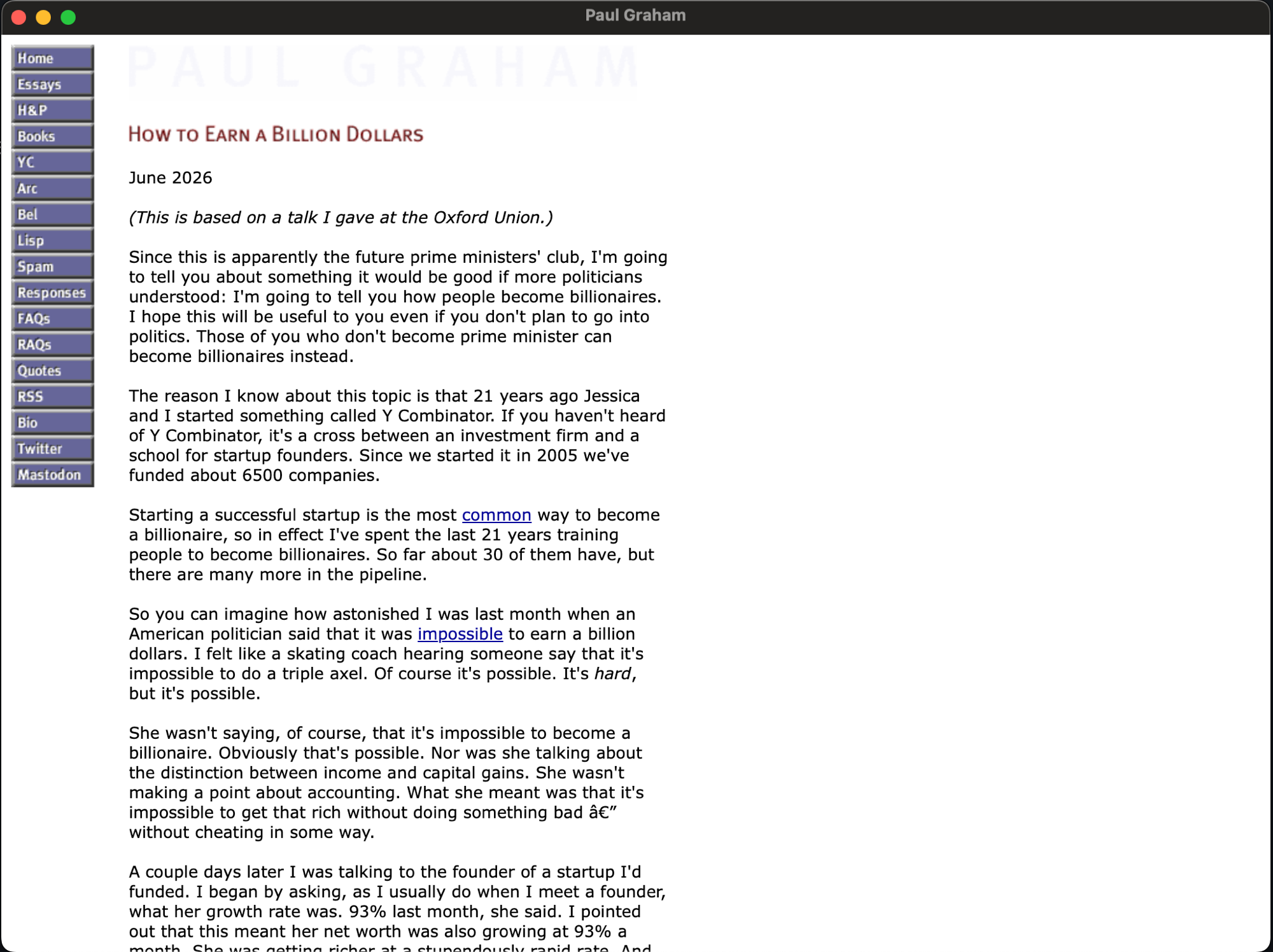
Say you want to keep Paul Graham's essays. Hand the site to "Save As" and you get a brittle copy that may still call out to scripts that no longer exist. Hand it to kage and you get the essays as they look in a browser, frozen and inert:
kage clone paulgraham.com
kage serve $HOME/data/kage/paulgraham.com
kage treats a clone as three steps in order.
1. Render
Every page is loaded in a real headless Chrome through the DevTools protocol. kage navigates to the URL, waits for the network to go quiet, optionally scrolls to trigger lazy-loaded images, and then serialises the final DOM, the markup that exists after the page's JavaScript has finished building it. This is the same thing you would see if you opened the page and chose "Inspect".
2. Strip
From that captured DOM, kage removes everything executable:
- every
<script>tag, inline or external; - every
on*event handler attribute (onclick,onload, and the rest); - every
javascript:URL; <meta http-equiv="refresh">redirects and dead resource hints like<link rel="preload" as="script">.
What remains is inert. The saved page makes no network calls, runs no code, and tracks nothing.
3. Localise
A page with no working CSS or images is not much of a clone, so kage keeps the parts that define how it looks. It downloads every stylesheet, image, font, and media file, rewrites the references in the HTML and inside the CSS (url() and @import) to relative local paths, and rewrites in-scope page links to point at the other saved pages. The mirror is fully self-contained: you can move the folder anywhere, open it with no network, and click around.
The shape of a clone
kage crawls breadth-first from a seed URL, staying within the seed's host (and optionally its subdomains). It is polite by default: it honours robots.txt and seeds itself from sitemap.xml. Output lands in $HOME/data/kage/paulgraham.com/, with pages as <path>/index.html and assets under a reserved _kage/ directory alongside the crawl state that powers resuming.
Then what?
A folder is the starting point, not the end. Once you have a mirror you can pack it into a single ZIM file, the open offline-archive format Kiwix uses, so the whole site travels as one file that any ZIM reader can open. You can also pack it into a self-contained binary, or a double-click desktop app with the site's favicon as its icon. Or build kage with the webview tag and a packed binary opens the site in its own native window instead of a browser tab:
Next: install kage.